File structure
web/(websites)domain.tld/(website)public_html/(html & php files for the website) MOST USEDdocument_errors/(html files for error pages)logs/(access & error log)stats(awstats data)
File managers
Web based file manager
Once you have logged into the control panel, you can click top right corner to open the web based file manager. It allows you to create, upload, modify, delete, rename, move and unzip files.
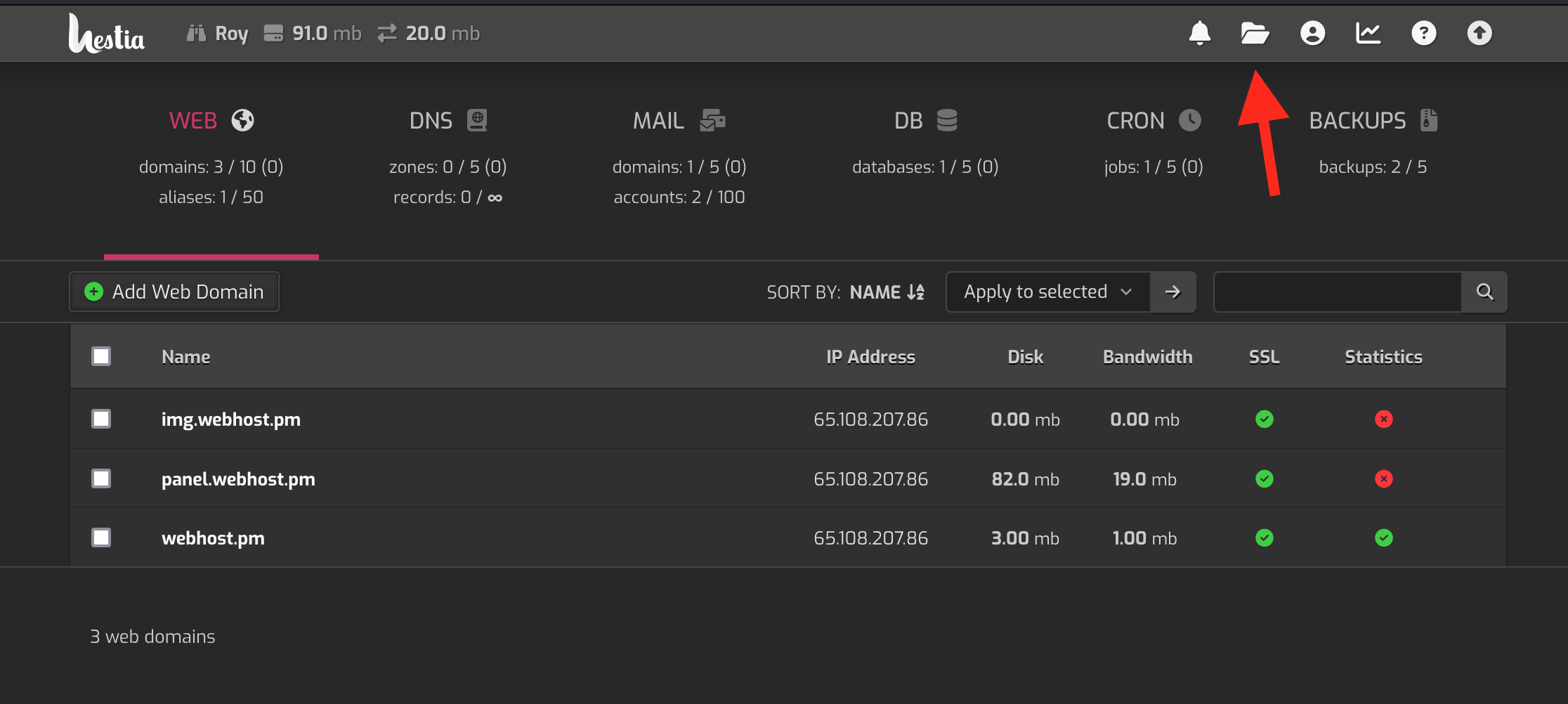
FTP
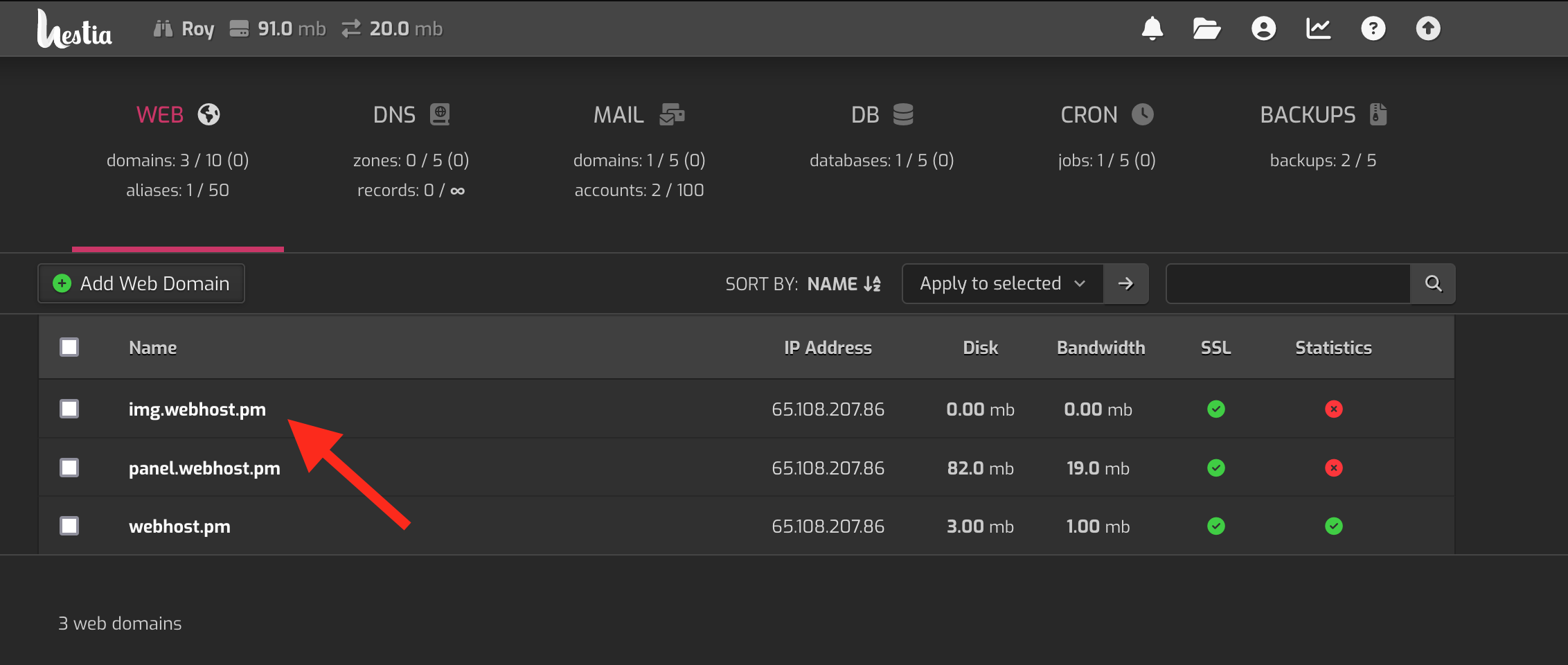
Click the website you want to enable FTP for:
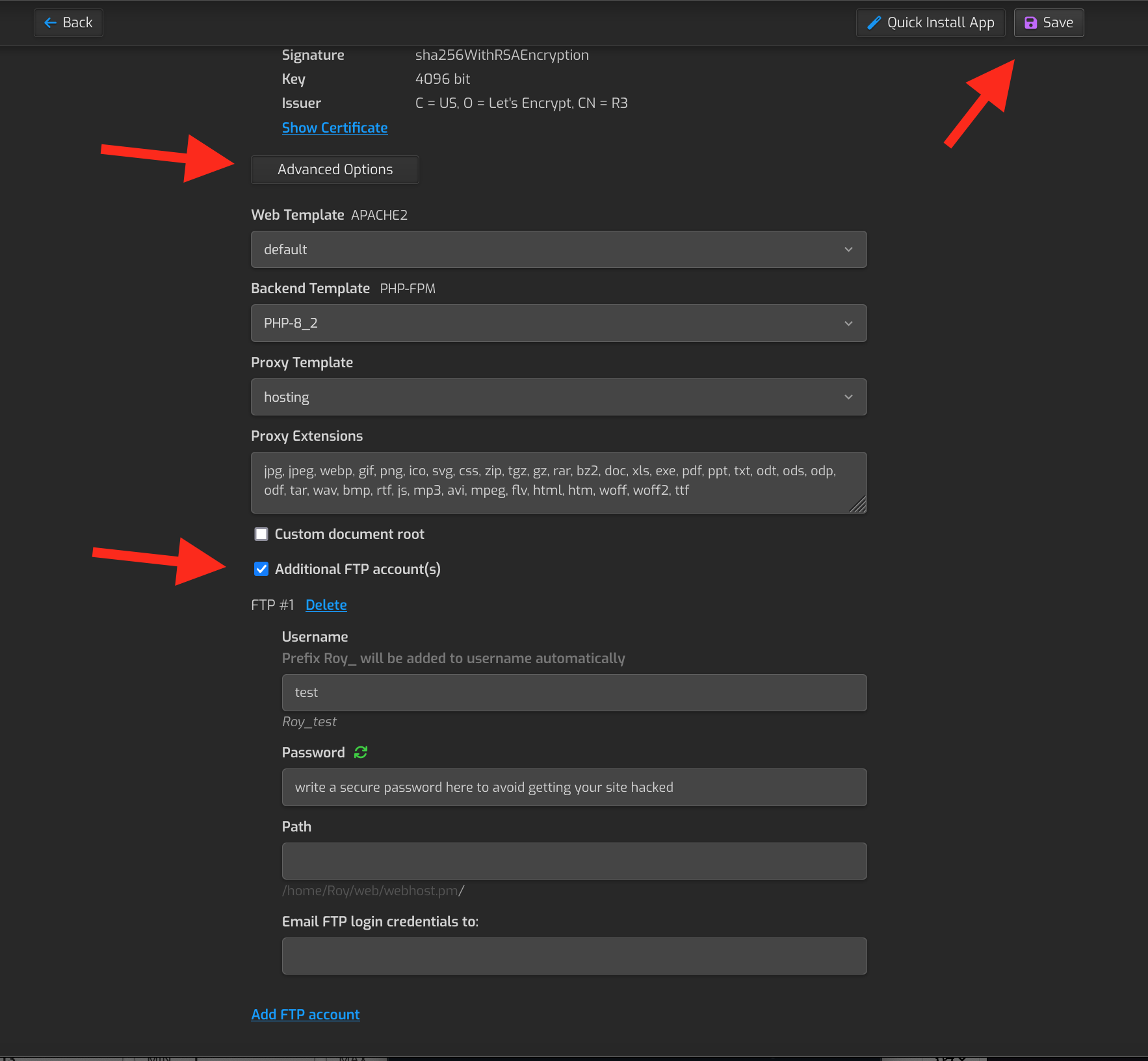
Scroll down and select Advanced options. Enter your desired username and select a strong password. Using weak password leads to a hacked site! After you have modified the fields, choose save from the top right corner.
Connection info for FTP:
Hostname: website domain (without http(s) part)
Port: 21
Username: selected username (make sure that it has the automatically added prefix too)
Password: selected password