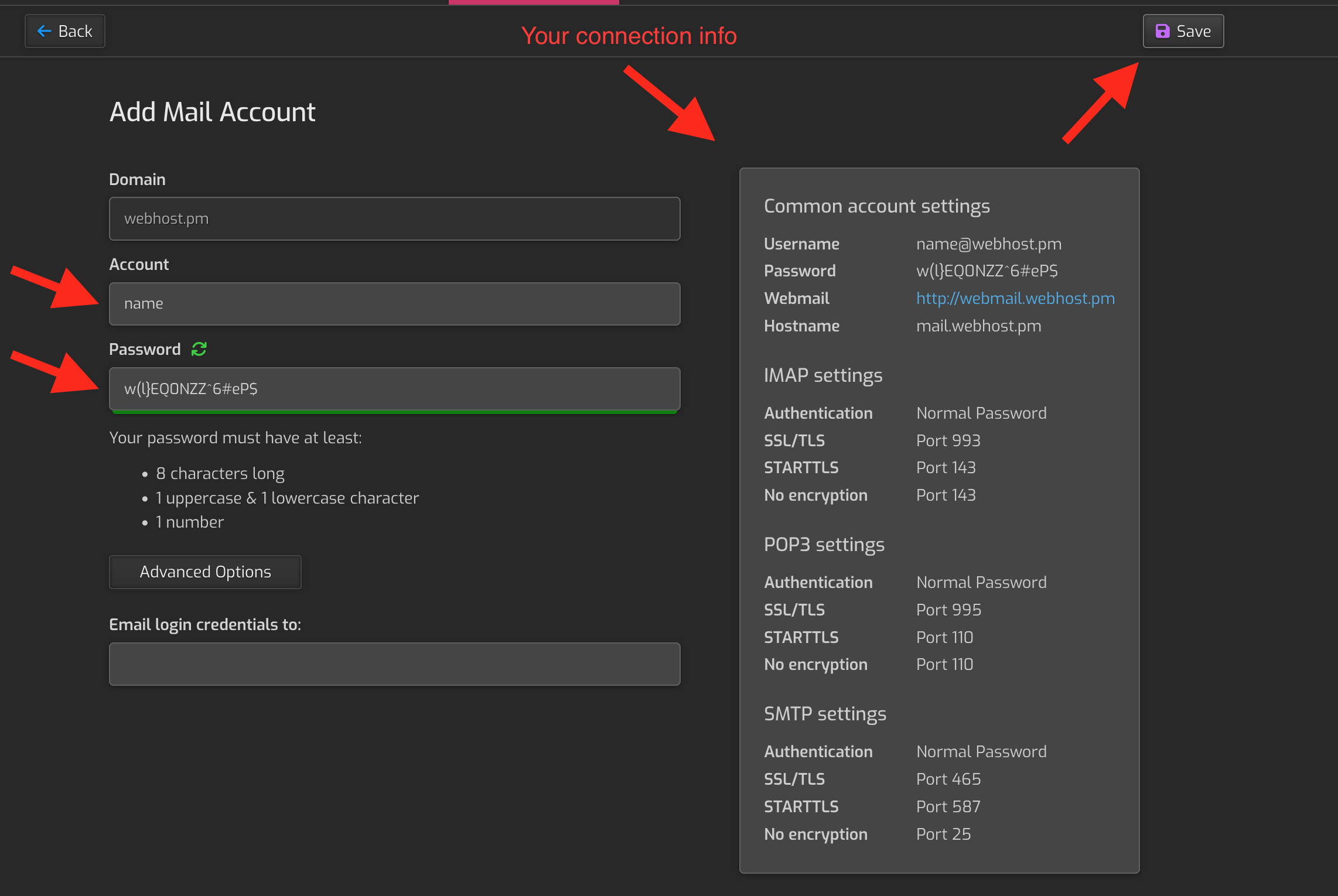
Navigate to “mail”-section in the control panel. Click the domain you want to create a mail account for.
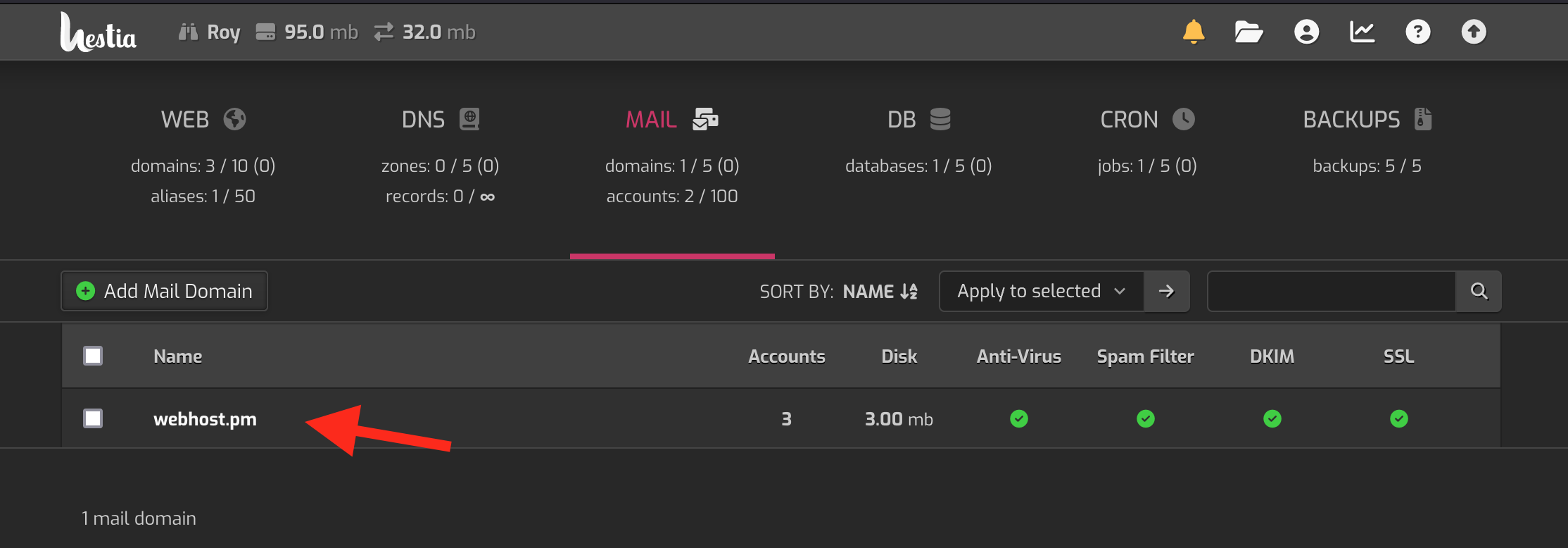
Now, click the ”Add mail account“-button on the top-left corner.
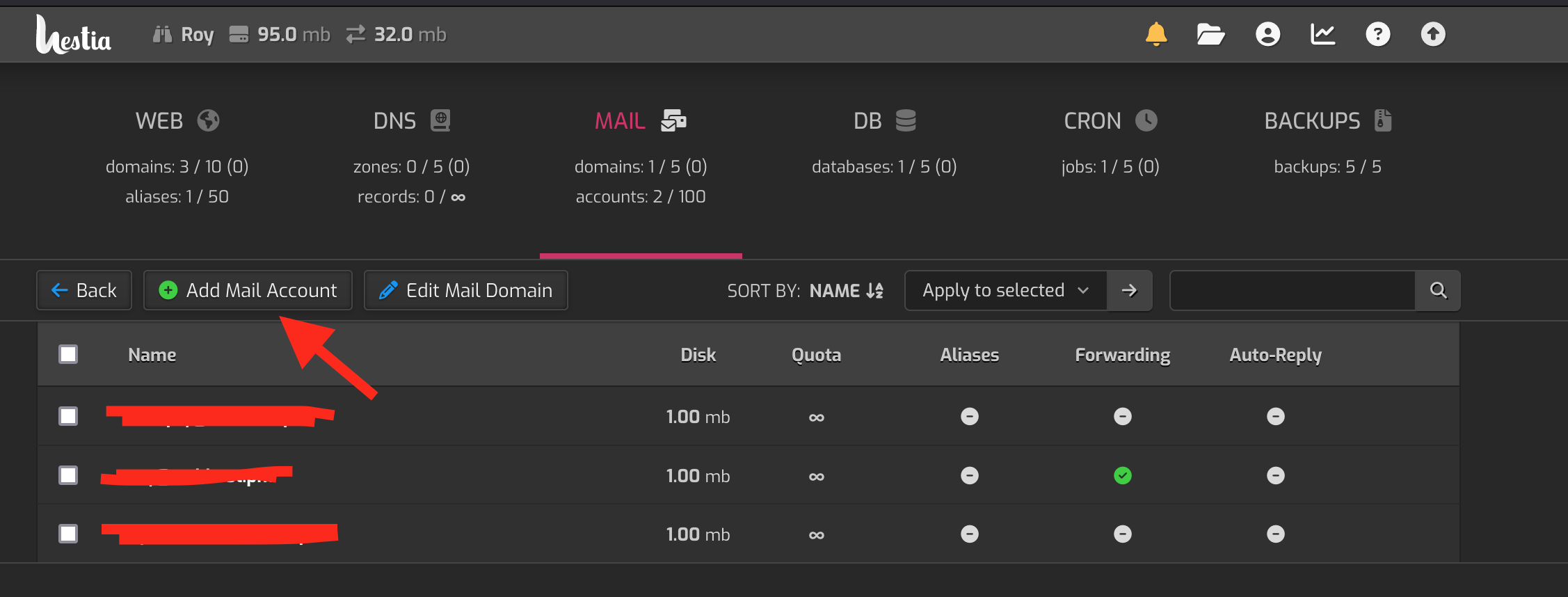
Write your desired username and a strong password. Pay attention to the box on the right as it contains important connection info, if you want to use your own mail client. You can also use webmail at https://webmail.yourdomain.com. Click “save” on the top-right corner once you are done.